Scheduling Share Analytics Exports
Schedule Exports to receive Key Analytics and User Activity right in your inbox.
Written By El
Last updated 4 months ago
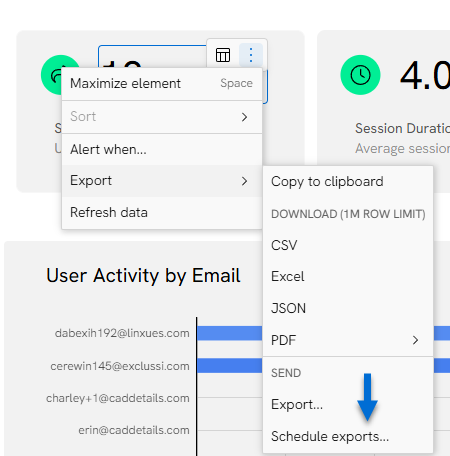
To schedule your Share Analytics Exports, hover over one of they elements in your Share Analytics dashboard and select the three vertical dots to access the export menu. Select Exports and Schedule exports…
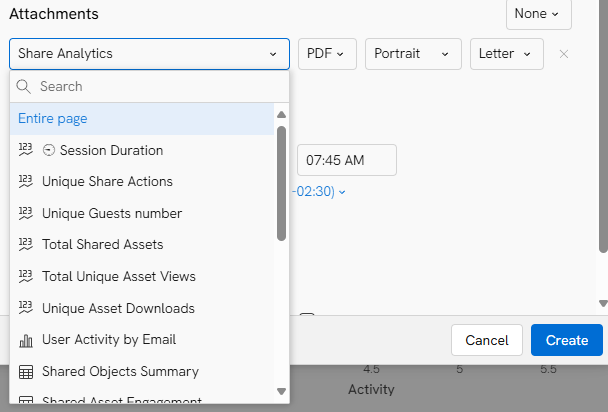
Add recipient email addresses, subject and message, then use the dropdown under Attachments and select Entire Page.
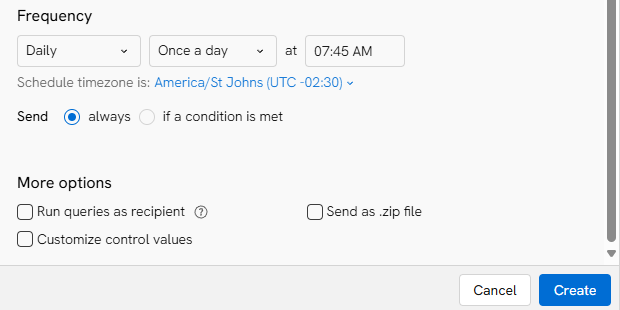
Use the Frequency settings to set up delivery as desired, then click create.
Once created you will see a list of scheduled exports for your analytics.
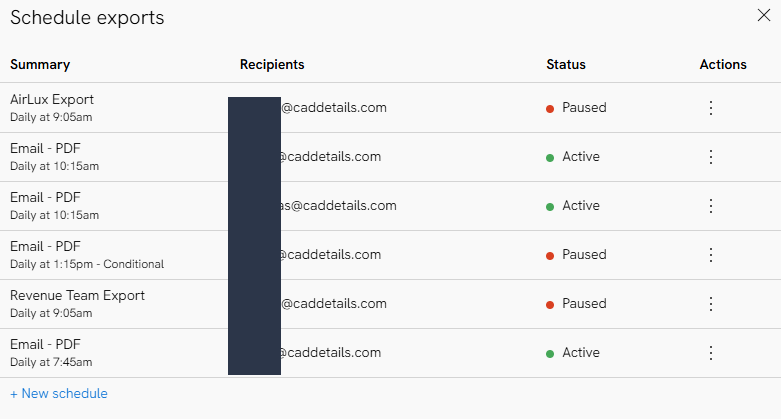
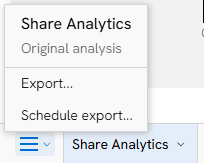
You can also review or schedule exports by accessing the menu via the three-horizontal line icon at the bottom left of the page.
Please note the analytics dashboard refreshes daily at midnight ET. We recommend scheduling exports after midnight for current data.