Navigating Prodify
A high-level tour of the areas in Prodify.
Written By El
Last updated 3 months ago
Here are some key areas in Prodify to familiarize yourself with as you begin using the platform:
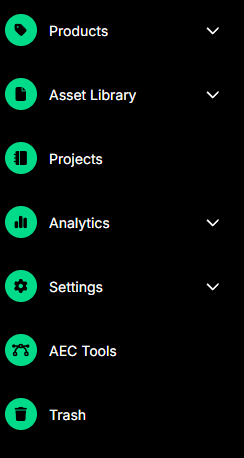
Products: Located at the top of the sidebar menu. Access the PIM here. Navigate to Collections nested under Products.
Assets: Access this section by clicking the second icon from the top of the sidebar menu. Navigate to Asset Folders here nested under the Asset Library.
Embed Link Library: Accessible from the main navigation menu. Use this section to manage all your embedded video links in one place. Available to Editor and Admin roles only.
Projects: Access your Projects here.
Analytics: Find your Prodify Share, CADdetails Analytics, and Design Hub Analytics here.
Settings: Settings in the sidebar allow you to navigate to your PIM relationship settings and your Sharing settings to establish share groups.
AEC Tools: AI-powered tools for AEC Manufacturers.
Trash: Find the trash at the bottom of the sidebar menu.
If you do not see Products, Assets, or Analytics, your PIM, DAM, and Analytics may not be enabled. Please contact support to enable these features. [email protected]
Navigate to Assets using the second icon at the top left.
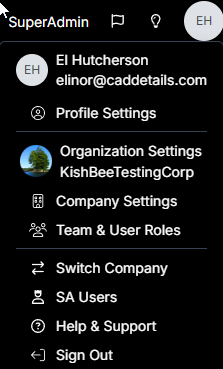
At the top right you can click your profile icon to access your Profile Settings, Organization Settings, Company Settings, Team & User Roles, Help & Support, and Sign Out.