Shared collection: Guest user cannot view product variant details🔵
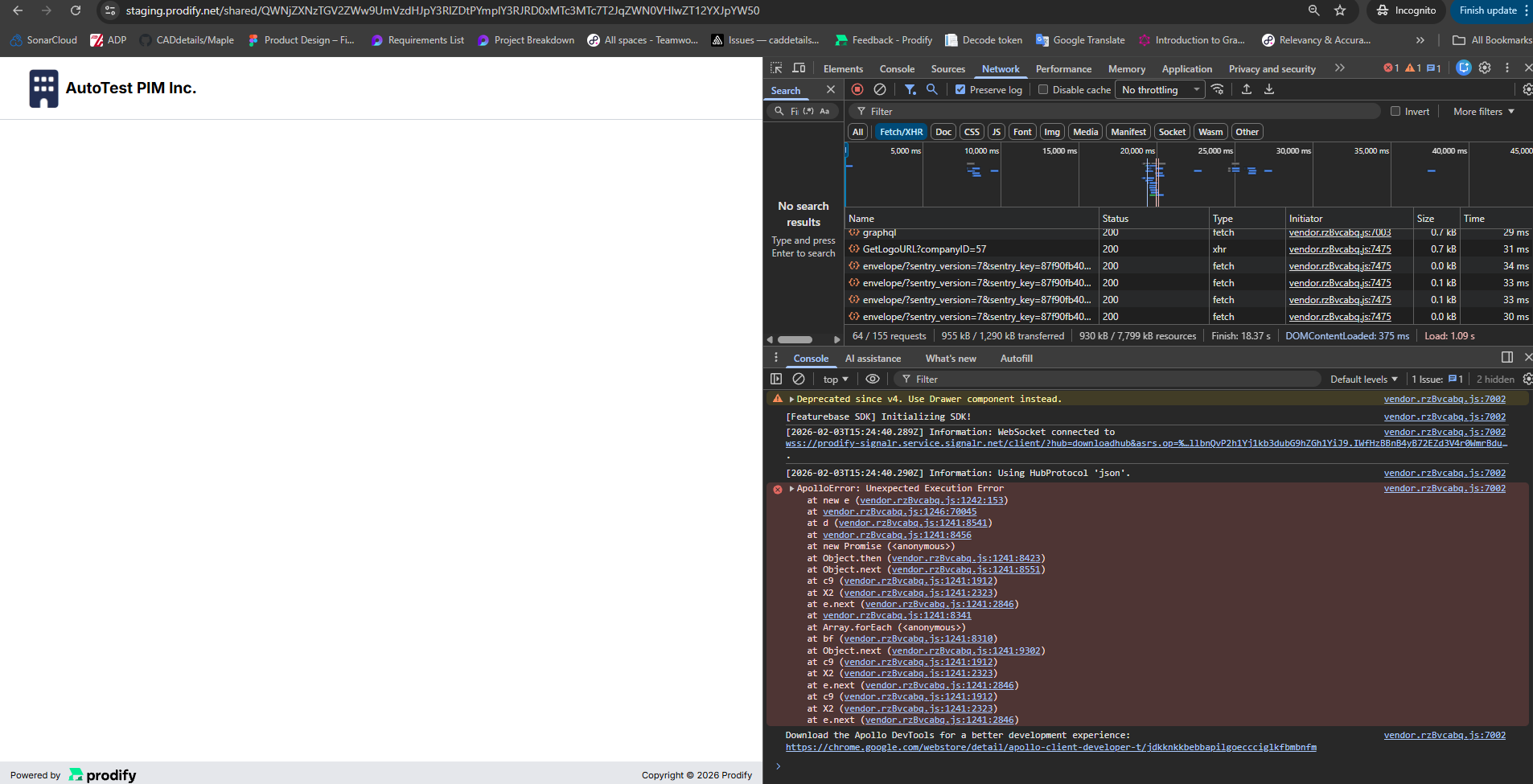
When a collection containing linked product variants is shared with an external (guest) user, opening a product variant from the shared collection results in an empty page. The variant details do not load, and a JavaScript error is logged in the browser console.
Steps to Reproduce
Log in as an admin user.
Create or open a collection that has product variants linked.
Share the collection with an external email address.
Open the shared link in an incognito browser tab.
Enter the OTP to authenticate as a guest user.
In the shared collection, locate a linked product variant in the table.
Click the icon to open its details page.
Expected Result: The product variant details page opens correctly and displays variant information for the guest user.
Actual Result: An empty page is displayed instead of the variant details. A JavaScript error is shown in the browser console (Apollo error).
Please authenticate to join the conversation.
Completed
🐛 Report an Issue
Medium Priority
7 months ago

Svitlana
Subscribe to post
Get notified by email when there are changes.
Completed
🐛 Report an Issue
Medium Priority
7 months ago
Svitlana
Subscribe to post
Get notified by email when there are changes.