Guest user can see “Shared with” information on shared collection page 🔵
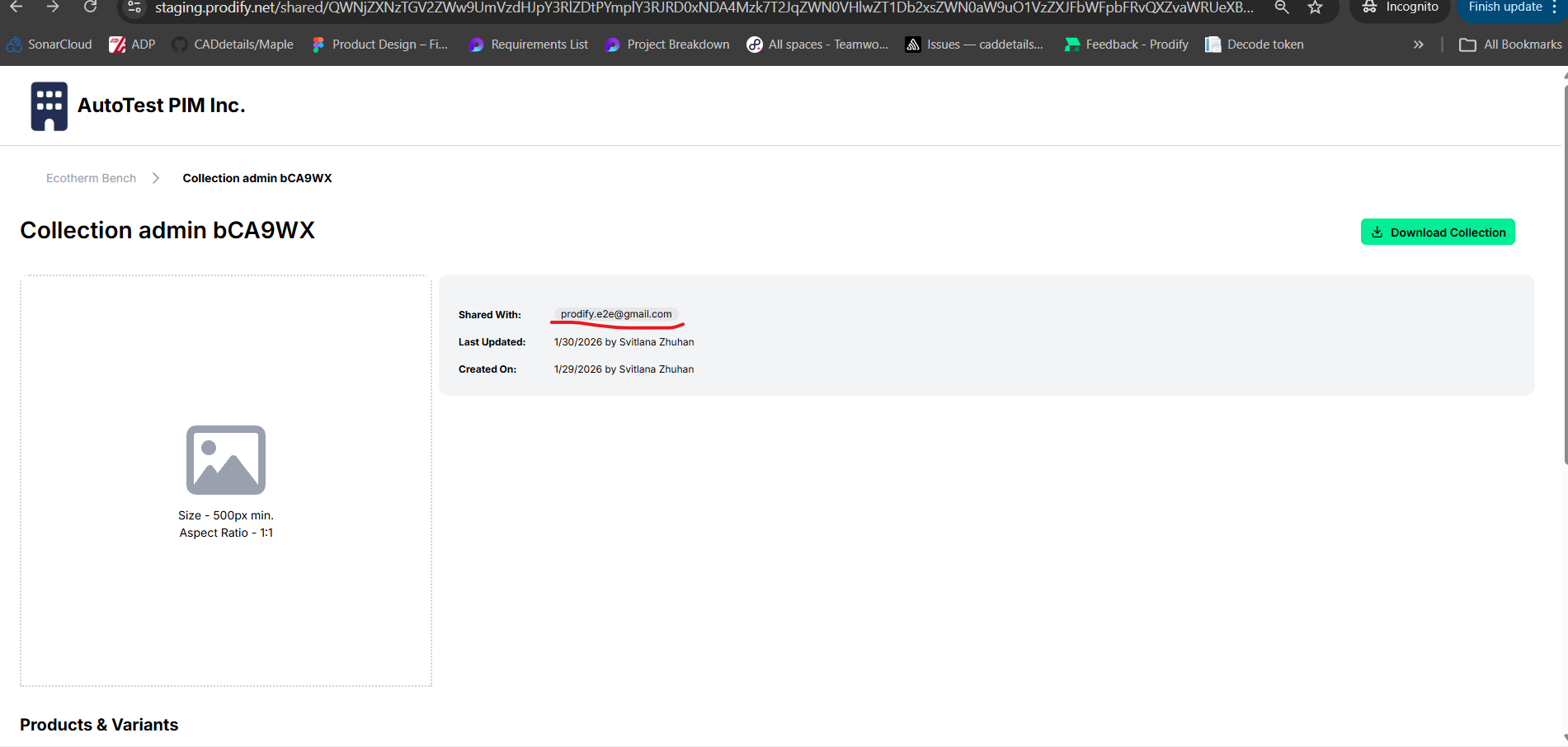
When accessing a shared collection as a guest user, the page displays the “Shared with” field, including the email address used for sharing. This information should not be visible to guest users
Steps to Reproduce
Log in as an admin user.
Open a collection
Share the collection with an external email address
Open the shared collection link in an incognito window
Observe the collection details section
Expected Result: Guest users should not see internal sharing details, including the “Shared with” field or associated email addresses
Actual Result: The “Shared with” field and the email address are visible to guest users on the shared collection page
Please authenticate to join the conversation.
Completed
🐛 Report an Issue
Medium Priority
8 months ago

Svitlana
Subscribe to post
Get notified by email when there are changes.
Completed
🐛 Report an Issue
Medium Priority
8 months ago
Svitlana
Subscribe to post
Get notified by email when there are changes.