Chosen Thumbnails within Product Do Not Reflect On All Products View Within A Collection🔵
EH Note:
I recreated this issue in MOSOs account however this did not arise with my test account (6). My image was jpg, theirs png.
Client: MOSO North America (Ryan Adamson, Scott Sproat)
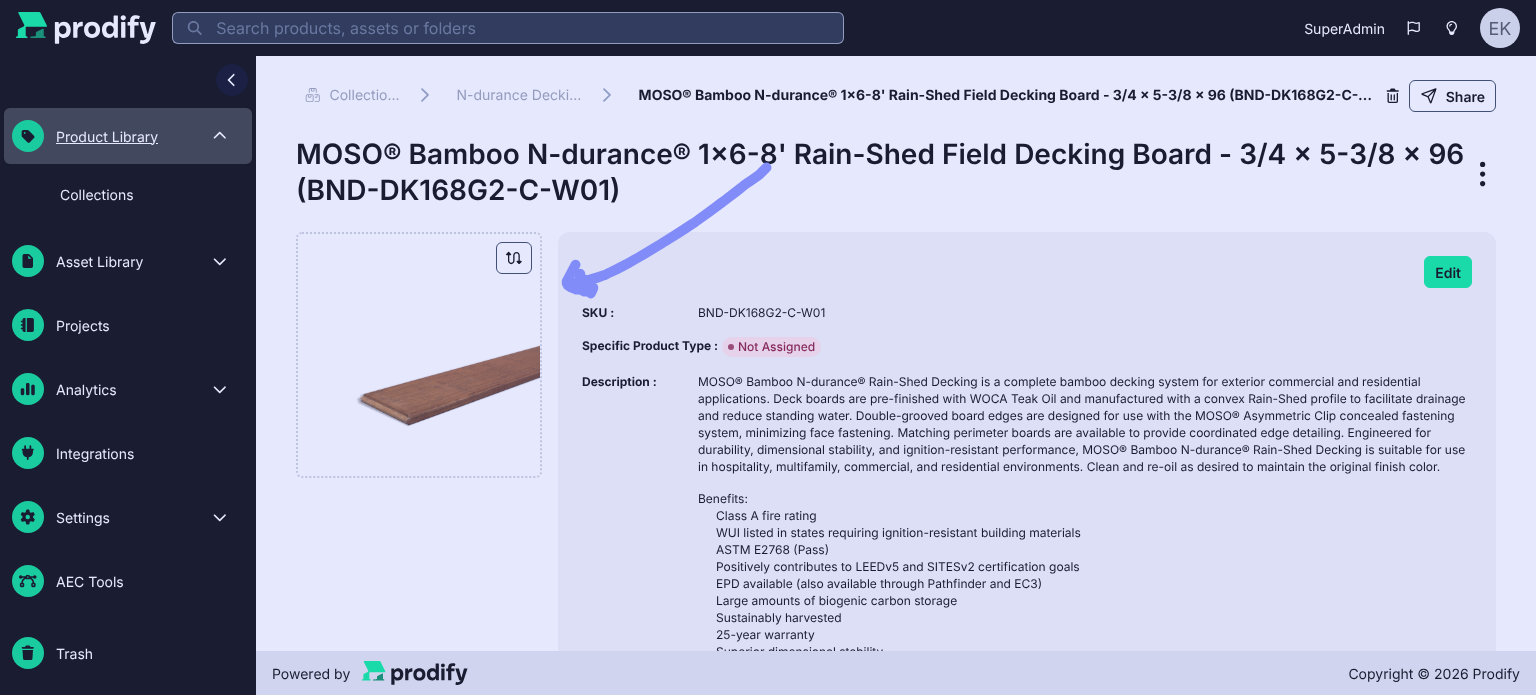
Prodify now allows users to select a representative image for each product (via the image in the upper left corner of the product page). However, the selected image does not carry through to the product thumbnails shown when viewing all products within a collection. The collection view continues to display a different image, so the client’s chosen representative image only appears inside the individual product.
Steps to reproduce:
In Prodify, open a product within a collection
Select a representative image for the product
Navigate back to the collection’s product list
The product thumbnail does not reflect the newly selected representative image
Expected behaviour:
The thumbnail shown in the collection’s product list should match the representative image selected within the product.
Impact:
The client went through every product to set a representative image (white background board images for a consistent look), but those choices aren’t visible at the collection level. This makes it harder for them to control how their products are presented and affects the clean, consistent look they’re aiming for as they build out their CADdetails profile from Prodify.
Thank you for looking into this, and please let me know if you have any questions.
Log in to comment and vote
Comments1
Emily
Oct 29
You can see in this screenshot that the preview thumbnail does not match the image chosen within the full product view.