Asset size is empty after editing asset name🔵
Steps to reproduce:
Open the Folders view and navigate to any folder.
Switch to Gallery view.
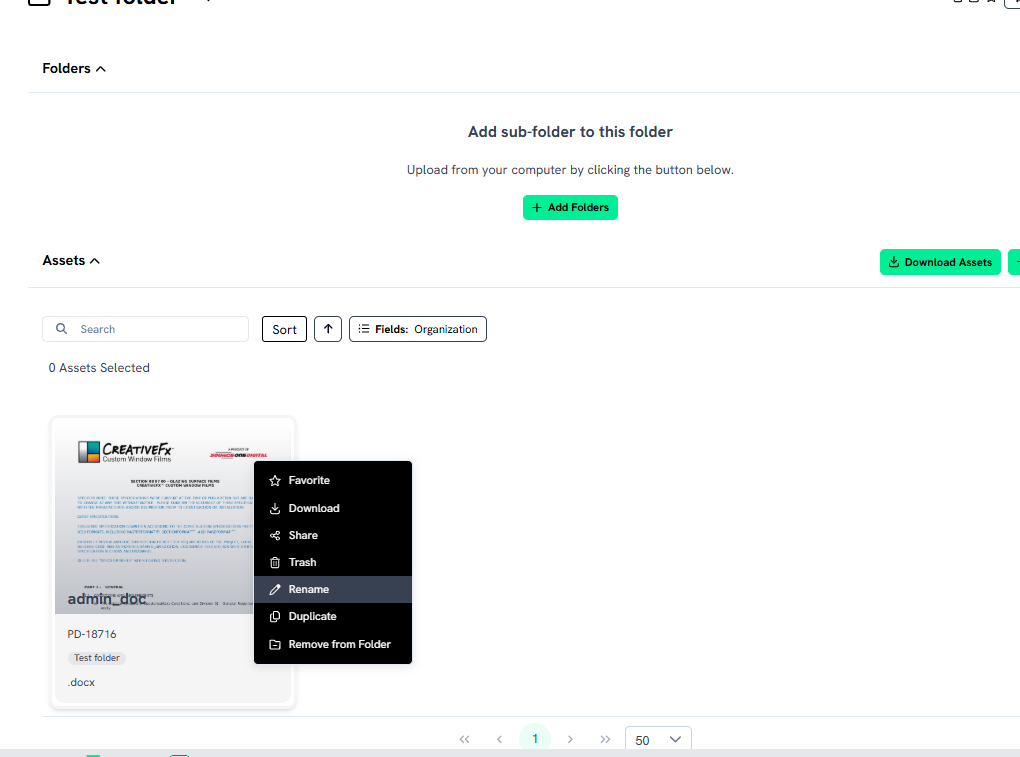
Click the three-dots button on an asset and select Rename.
Enter a new name and save the changes.
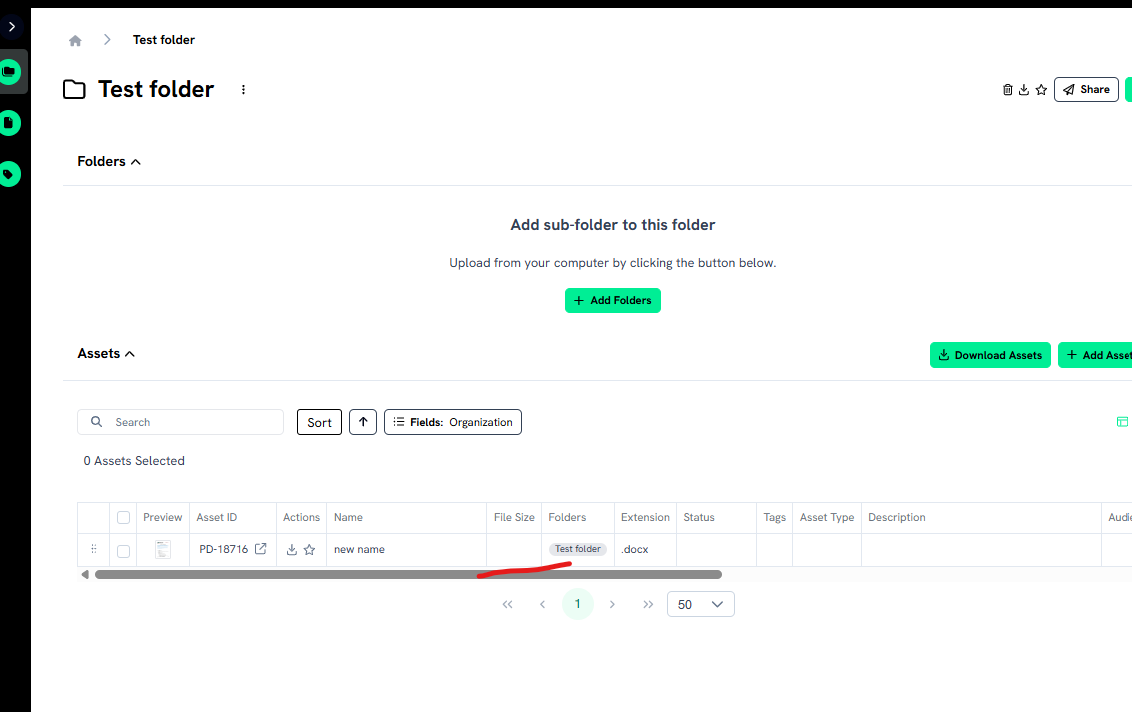
Refresh the page and switch back to Table view.
Expected Result: The asset is renamed, and all other data (including asset size) is preserved
Actual Result: The asset is renamed, but the asset size field appears empty
Please authenticate to join the conversation.
Upvoters
Status
Completed
Board
🐛 Report an Issue
Tags
Medium Priority
+1
Date
Over 1 year ago
Author

Svitlana
Subscribe to post
Get notified by email when there are changes.
Upvoters
Status
Completed
Board
🐛 Report an Issue
Tags
Medium Priority
+1
Date
Over 1 year ago
Author
Svitlana
Subscribe to post
Get notified by email when there are changes.